

Privacy
Does a baby tracker need an account? The honest trade-offs
Quick answer
No. A baby tracker does not technically need an account to record feeds, sleep, diapers, pumping, or growth. An account can enable conveniences such as live multi-device sync, but it also changes how the record is stored and processed. The useful question is what your family gains from an account and where the baby record goes.
Start by following the data, not the marketing label
The words private, offline, and no account answer different questions. A no-account app removes the vendor login, but it does not by itself prove that every feature stays on the device. An offline feature can still belong to an account-based app, and a local record can still be included in an operating-system backup.
Before choosing a tracker, separate the baby record from the services around the app. Apple defines collection for its App Store privacy disclosures in terms of data transmitted off the device and retained by the developer or a third party. That makes the App Store privacy details and the developer’s privacy policy useful places to check, alongside the product’s actual behavior.
- Baby record: profiles, feeds, sleep, diapers, growth, notes, and photos
- App operations: purchases, entitlement checks, crash reporting, and support
- Copies you control: manual exports and device backups
- Sharing model: deliberate files versus automatic live sync
What no account changes—and what it does not
Without a Buggy account, you do not have to attach an email address or password to the baby record before you can create a profile and begin logging. There is no Buggy account to recover, delete, or secure, and there is no Buggy cloud database holding the day-to-day care timeline.
No account does not mean no network activity under every circumstance. App Store purchases, restores, and some access checks may contact Apple or RevenueCat. If the legacy-access verification flow is used, a receipt and RevenueCat app user identifier may be sent to a Buggy endpoint for that access check. Those operations are separate from the feeds, diapers, sleep entries, growth measurements, and notes stored on the phone.
- No Buggy email-and-password login is required
- The baby record is not uploaded to a Buggy cloud database
- Purchasing and restoring access can still require an internet connection
- The App Store and integrated service providers have their own data practices
A concrete Buggy workflow
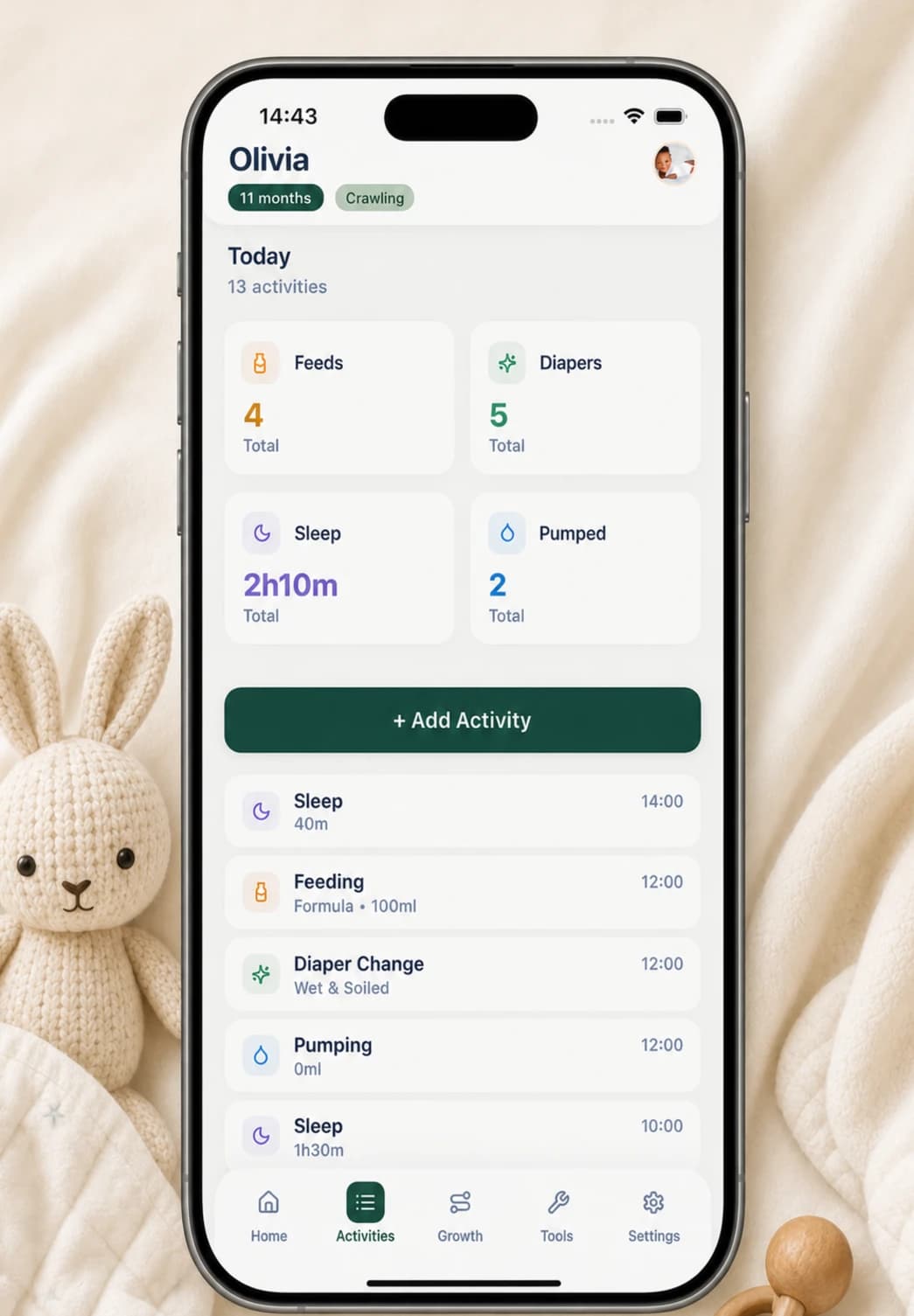
In Buggy, you create a baby profile directly on the iPhone. The Home screen then presents quick cards for feeding, diapers, sleep, and pumping. Tapping one opens a focused form rather than an account or cloud-sharing setup.
A bottle feed can include breast milk or formula, an amount, a start time, and a note. A breastfeed can include left- and right-side duration. A diaper entry records wet, soiled, or both; a sleep entry records a start time and duration. The Activities timeline lets you review, edit, or delete an entry later.
- Create the baby profile without providing an email address
- Tap the relevant Home card when an activity happens
- Record only the fields that will be useful later
- Use the timeline to correct or remove an entry
- Choose a CSV export or a PDF summary in Settings when you want a separate copy
The device-local trade-off is real
Buggy does not provide live cross-device sync. A partner or caregiver cannot sign in on another phone and watch the timeline update automatically. If that is essential for your family, an account-based shared tracker may be the better fit.
A local record also makes the device, its backup settings, and any exports part of your continuity plan. Replacing, losing, or removing the app from a phone can affect access to the record. Buggy can generate CSV and PDF files, but once you save or share one, the destination controls that copy; deleting the in-app record does not delete exported or backed-up copies.
- Benefit: the care log is not continuously copied to a Buggy cloud account
- Cost: there is no automatic caregiver sync through Buggy
- Responsibility: decide how you will back up or export anything you need to keep
- Boundary: protect the phone and every file you deliberately share
A five-question comparison checklist
A useful privacy comparison should produce specific answers, not a score or a badge. Read the current privacy policy and App Store privacy details, then test the ordinary workflow before you commit months of family history to an app.
The best answer depends on your household. Choose live account-based sharing if simultaneous access matters most. Choose a device-local tracker if minimizing vendor-held baby data matters more and deliberate exports are enough for handoffs.
- Can I create and use the tracker without an email address or login?
- Where are baby profiles, activities, notes, growth measurements, and photos stored?
- Which actions still contact the developer, Apple, or another provider?
- Can another caregiver see changes automatically, or only through an export?
- What is my plan if the phone is lost, replaced, or erased?
Questions, answered plainly
Does a baby tracker need an account to save activities?
No. An app can store profiles and activities locally without a vendor account. An account is usually a product choice used for features such as cloud backup, live sharing, or cross-device sync—not a technical requirement for recording a feed or diaper change.
Does no account mean the app never uses the internet?
No. Check care-record storage separately from purchases, restores, analytics, support, and access checks. Buggy keeps the baby record on the device, while purchases, restores, and some access checks may still need a network connection.
Can two caregivers use the same Buggy timeline?
Not through live sync. Buggy intentionally keeps each baby record device-local. You can create and share a CSV or PDF copy, but another phone does not receive automatic timeline updates through a Buggy account.
What should I do before changing or replacing my phone?
Review your device-backup settings and create an export of anything you need to retain. Buggy does not promise a separate cloud copy of the baby record, and exported files should be protected wherever you save or share them.
Sources and further reading
- Buggy privacy policyBuggy
- App privacy details on the App StoreApple Developer
- Back up iPhoneApple Support