

Baby tracking
How to choose a baby feeding tracker without an account
Quick answer
Choose a baby feeding tracker that can capture the one detail you will need later—usually the time, feeding type, and an amount or duration—without forcing you to create a profile with the developer. The log should support care and memory; it should not set feeding targets or replace your baby’s cues and professional advice.
Start with the questions the log must answer
A feeding record is most useful when it resolves a concrete memory gap: when the last feed started, whether it was a bottle or breastfeed, what was offered, and whether there is a detail worth handing to the next caregiver. You rarely need every available field for every feed.
Decide your minimum before choosing an app. For one family that may be time and feeding type. Another may need bottle amount, breast side duration, or a brief note for a clinician. A smaller routine is easier to sustain when you are tired.
- Time: when the feed started
- Type: bottle or breastfeeding
- Bottle detail: breast milk or formula and the recorded amount
- Breastfeeding detail: left- and right-side duration when useful
- Context: a short note only when it will matter later
Keep tracking separate from feeding decisions
A tracker can record what happened, but it cannot decide how much a particular baby should eat. The CDC recommends paying attention to hunger and fullness cues and speaking with a doctor or nurse when you are concerned about how much or how little a child is eating.
Use logged amounts and durations as observations, not as targets. A longer breastfeed is not recorded as a measured milk volume in Buggy, and a bottle total does not explain by itself whether a baby is feeding well. Keep the baby’s behavior and qualified guidance ahead of the dashboard.
- Do not make a baby finish a bottle because the planned amount is in the app
- Remember that Buggy records breastfeeding duration; it does not measure transferred milk
- Do not treat a daily count as a diagnosis
- Contact a qualified clinician about feeding, growth, hydration, or urgent concerns
A bottle-feeding workflow in Buggy
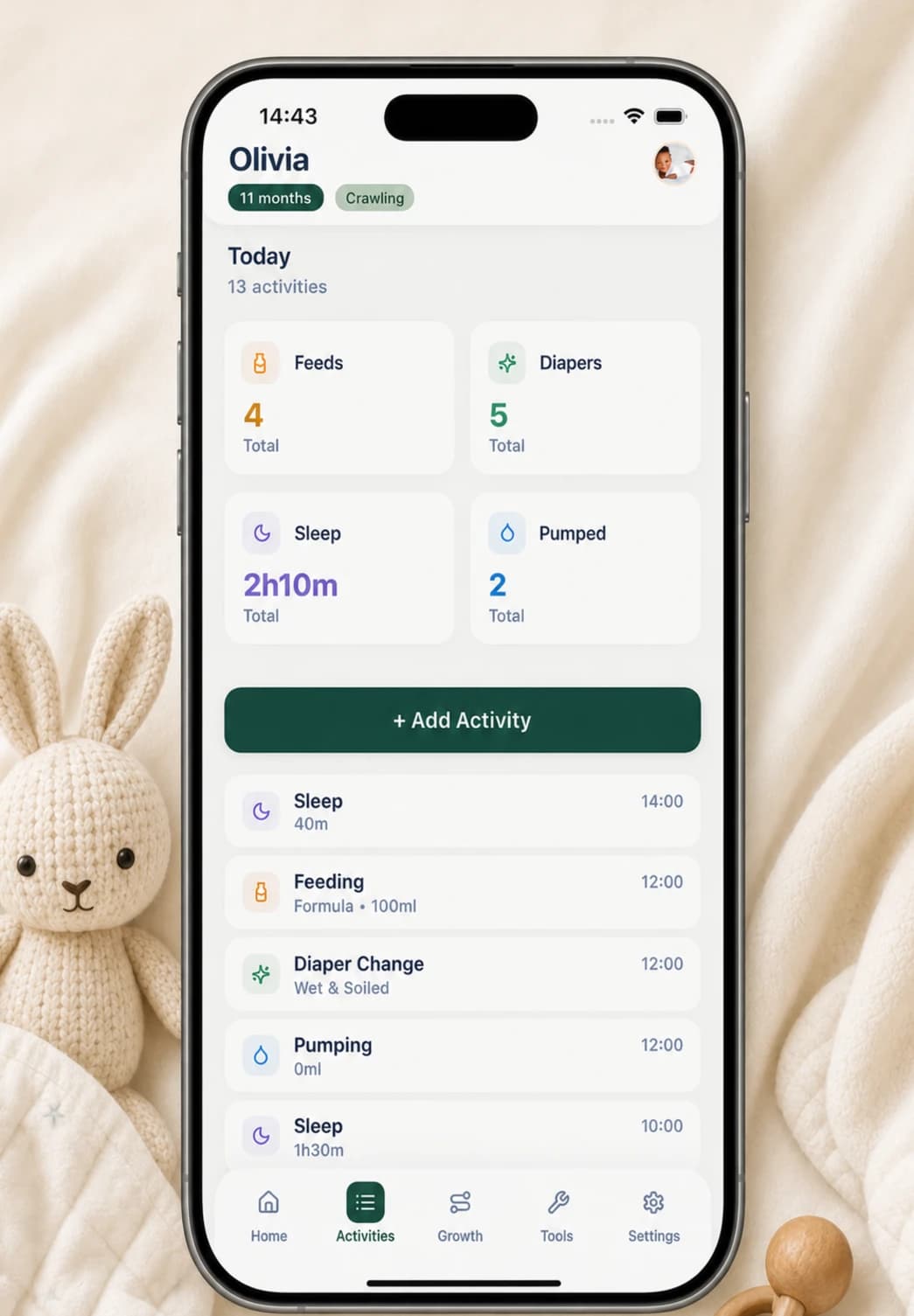
From Buggy’s Home screen, tap the Feedings card and choose Bottle. Select formula or breast milk, record the amount, adjust the start time if needed, and add a note only when it provides useful context. The activity is attached to the selected baby and written to the device-local timeline.
The Home card then shows today’s feeding count and how long it has been since the most recent feed. Open the Activities timeline to review the entry, correct the amount or time, or delete it. If you remember a feed later, the form supports choosing an earlier date instead of forcing everything into the current day.
- Tap Feedings on Home
- Choose Bottle
- Select formula or breast milk
- Record the amount and start time
- Save, then edit from Activities if anything needs correcting
A breastfeeding workflow in Buggy
Choose Breast in the same feeding form when duration by side is useful for your own routine. Buggy records left- and right-side minutes, calculates the total duration for the activity, and lets you set the start time and add a note.
Those fields describe the session; they do not measure how much milk the baby consumed. If duration is not useful to you, avoid turning the timer into an obligation. The tracker is there to preserve the detail you choose, not to grade the feed.
- Record left-side duration when relevant
- Record right-side duration when relevant
- Use a note for context that a duration cannot capture
- Treat duration as a record of time, not a volume measurement
A no-account feeding tracker checklist
A good comparison covers both usability and data handling. Test the app with a sample feed and make sure its limitations match your household before building a long history.
- Can I start without an email address or vendor login?
- Can I record a feed one-handed with only the fields I need?
- Can I correct the time, amount, duration, or note later?
- Where are feeding entries stored, and which operations still use the network?
- Does my household need live multi-phone sync or will deliberate handoffs work?
- Can I export a useful copy before replacing the phone?
Questions, answered plainly
What should I record in a baby feeding tracker?
Start with the time and feeding type. Add a bottle amount, breast-side duration, or note only when it will help with a later question or caregiver handoff. A smaller record you can maintain is usually more useful than a complicated one you abandon.
Can a feeding tracker tell me how much my baby should eat?
No general log can set an individualized feeding plan. Buggy records the details you enter; it does not diagnose feeding problems or replace hunger and fullness cues or advice from a qualified clinician.
Does a feeding tracker without an account never use the internet?
Not necessarily. Buggy stores the baby record locally, but purchases, restores, and some access checks may require a connection. Compare care-record storage separately from those app operations.
Can my partner see Buggy feeding entries on another phone?
Not through live Buggy sync. You can show the local timeline or deliberately share a CSV or PDF copy, but another phone does not receive automatic updates through a family account.
Sources and further reading
- Signs your child is hungry or fullCenters for Disease Control and Prevention
- Buggy privacy policyBuggy
- App privacy details on the App StoreApple Developer