

Baby sleep
How to choose a baby sleep tracker without an account
Quick answer
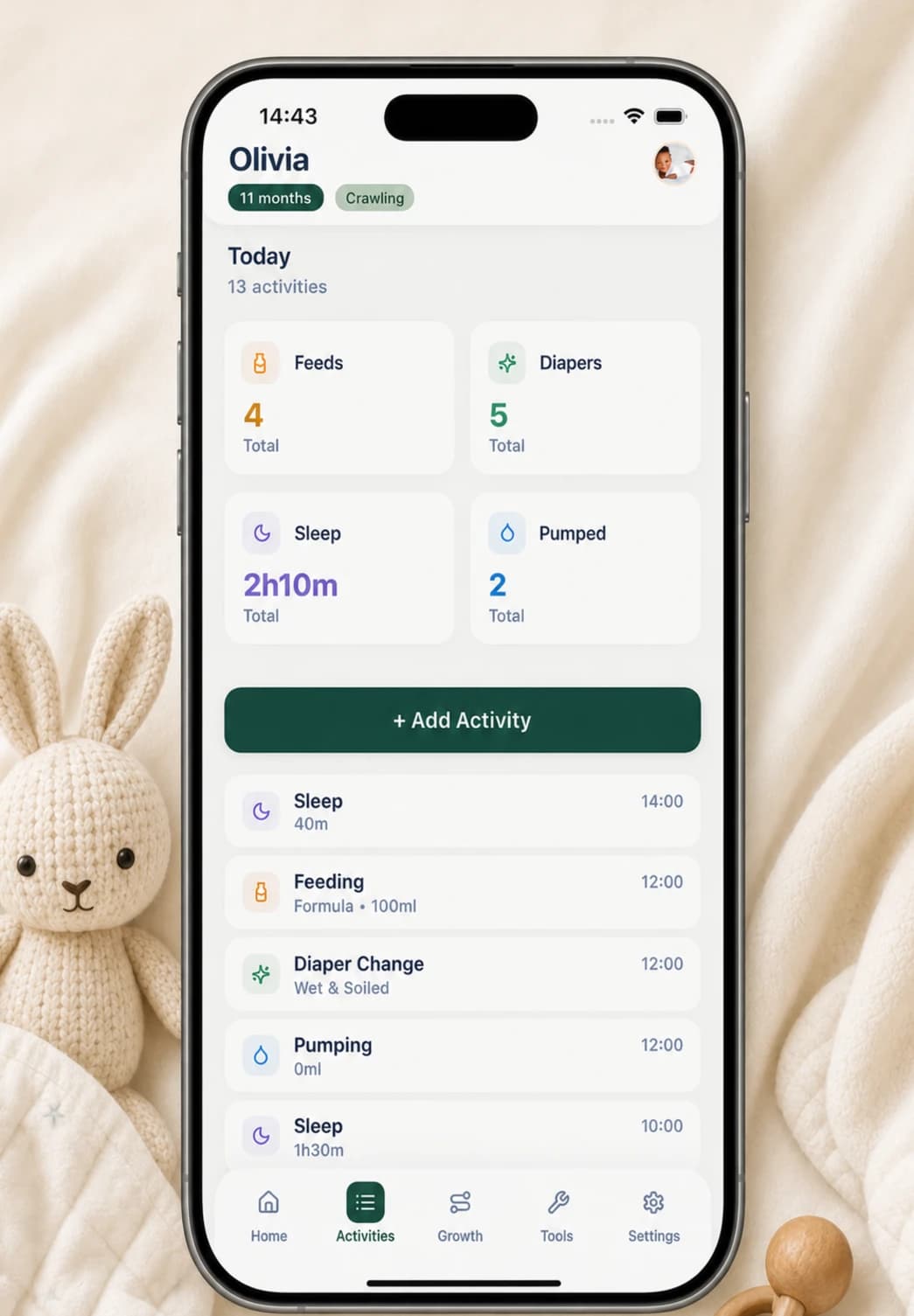
Choose a baby sleep tracker without an account by checking four things: what it records, where the record is stored, how you can export or delete it, and what the app does online. Buggy records sleep manually on the iPhone, keeps the activity record in local app files, and does not use cloud sync; purchase and access checks are separate from the sleep record.
What an account-free sleep tracker should let you verify
No sign-in is useful only when the rest of the privacy model is understandable. Before recording a real day, look for a plain answer about storage, cloud sync, analytics, backups, exports, deletion, and any services contacted for subscriptions or purchases.
The tracker should also work as a memory aid without pretending to be a monitor or clinician. A practical manual log needs a date, a sleep start time, a duration or end time, and an optional note. Predictions, scores, and long questionnaires are not required to remember what happened.
- Can you create the first sleep entry without an email address or profile?
- Is the activity record stored on the device, synced to a cloud service, or both?
- Can you correct, delete, and export the record without contacting support?
- Does the app distinguish manual tracking from monitoring, diagnosis, or safety advice?
How a sleep entry works in Buggy
On Buggy's Home screen, the Sleep card shows today's recorded sleep total and how long it has been since the most recent sleep entry. Tapping the card opens the add-sleep form. You enter the sleep duration and start time, can choose an earlier date for a missed entry, and can add a short note.
The entry then appears in the activity history, where it can be reviewed and corrected. This is deliberate manual logging: Buggy does not listen to the room, watch the baby, infer whether a baby is asleep, or replace a dedicated monitor.
- Tap Sleep on the Home screen.
- Enter the duration and the time the sleep began.
- Choose a past date if you are catching up later.
- Add a note only when context will matter, such as a car nap or an unusual interruption.
What on-device storage means in Buggy
Buggy writes baby profiles and activity records to files inside the app's storage on the phone. It does not require a Buggy account and it does not provide cloud sync between caregiver devices. Deleting a baby inside the app also removes that baby's activities from Buggy's local record.
That does not mean the phone never connects to anything. Apple and RevenueCat can be involved in subscription purchase, restore, and access checks. An exported PDF or CSV also leaves Buggy's private app storage when you choose to share or save it, so the destination and recipient become part of your privacy decision.
Review the record without turning it into a sleep score
Use the same definition of sleep start and duration each day, even if the times are approximate. Consistency makes a simple record easier to compare than a detailed log that is completed differently every time. Missing an entry is not a failure; add it later if you remember, or leave the gap visible.
Look across several days for practical questions: when was the last sleep, how many sleep periods were recorded, and was today noticeably different from the family's recent routine? A log can help you describe observations to a pediatric professional. It cannot establish why sleep changed, diagnose a condition, or tell you whether a baby is healthy.
Keep sleep timing separate from safe-sleep practice
A tracker records timing; it does not make a sleep environment safe and cannot prevent sleep-related harm. CDC and American Academy of Pediatrics guidance says infants should be placed on their back for every sleep on a firm, flat, non-inclined sleep surface intended for infants, with soft objects and loose bedding kept out of the sleep area.
Follow current guidance and any individual instructions from your baby's clinician regardless of what a log or wake-window estimate says. If you are worried about sleep, breathing, feeding, illness, or development, contact a qualified pediatric professional rather than waiting for more tracker data.
Export only when the record has a job to do
Buggy can create a PDF with seven-day and 30-day activity summaries, including recorded sleep totals and session counts. It can also export activity rows as CSV. These formats can support a caregiver handoff or a conversation with a pediatric professional, but neither format is a medical report.
Share the smallest useful file with the intended person and remember that copies saved to Messages, Mail, Files, or another service are governed by that destination. Buggy currently favors local storage over automatic caregiver sync, which is a privacy benefit for some families and a practical limitation for others.
Questions, answered plainly
Can I track sleep in Buggy without creating an account?
Yes. Baby profiles and sleep activities can be recorded without a Buggy login, and Buggy does not cloud-sync that activity record. Subscription purchase, restore, and access checks are separate functions that may contact Apple or RevenueCat.
Does Buggy automatically know when my baby is asleep?
No. Buggy is a manual activity log, not a camera, audio monitor, wearable, or medical device. You enter the sleep start time and duration yourself and can correct the entry later.
Can another caregiver see the sleep log on their phone?
Not through live multi-device sync. A caregiver can use the same phone, or you can intentionally share a PDF summary or CSV export. Once exported, the file is outside Buggy's local storage.
Can a sleep tracker prevent SIDS or tell me that a sleep setup is safe?
No. A timing log cannot prevent SIDS, monitor breathing, or assess a sleep environment. Follow current safe-sleep guidance from authoritative health sources and seek professional care for health or safety concerns.
Sources and further reading
- Sleep-Related Infant Deaths: Updated 2022 Recommendations for Reducing Infant Deaths in the Sleep EnvironmentAmerican Academy of Pediatrics
- Providing Care for Babies to Sleep SafelyCenters for Disease Control and Prevention